Open the client's drawing, measure the scale, mark the edges and cut-outs, see how many slabs the job takes — and print a clean quote PDF for your client. The guide on the left tells your estimator what to do next.
In most shops one experienced person does every estimate — at night, from PDFs that are rarely printed at the scale they say. We built ArtKam Estimator on our own shop floor so that anyone on the team can produce a quote the owner can trust.
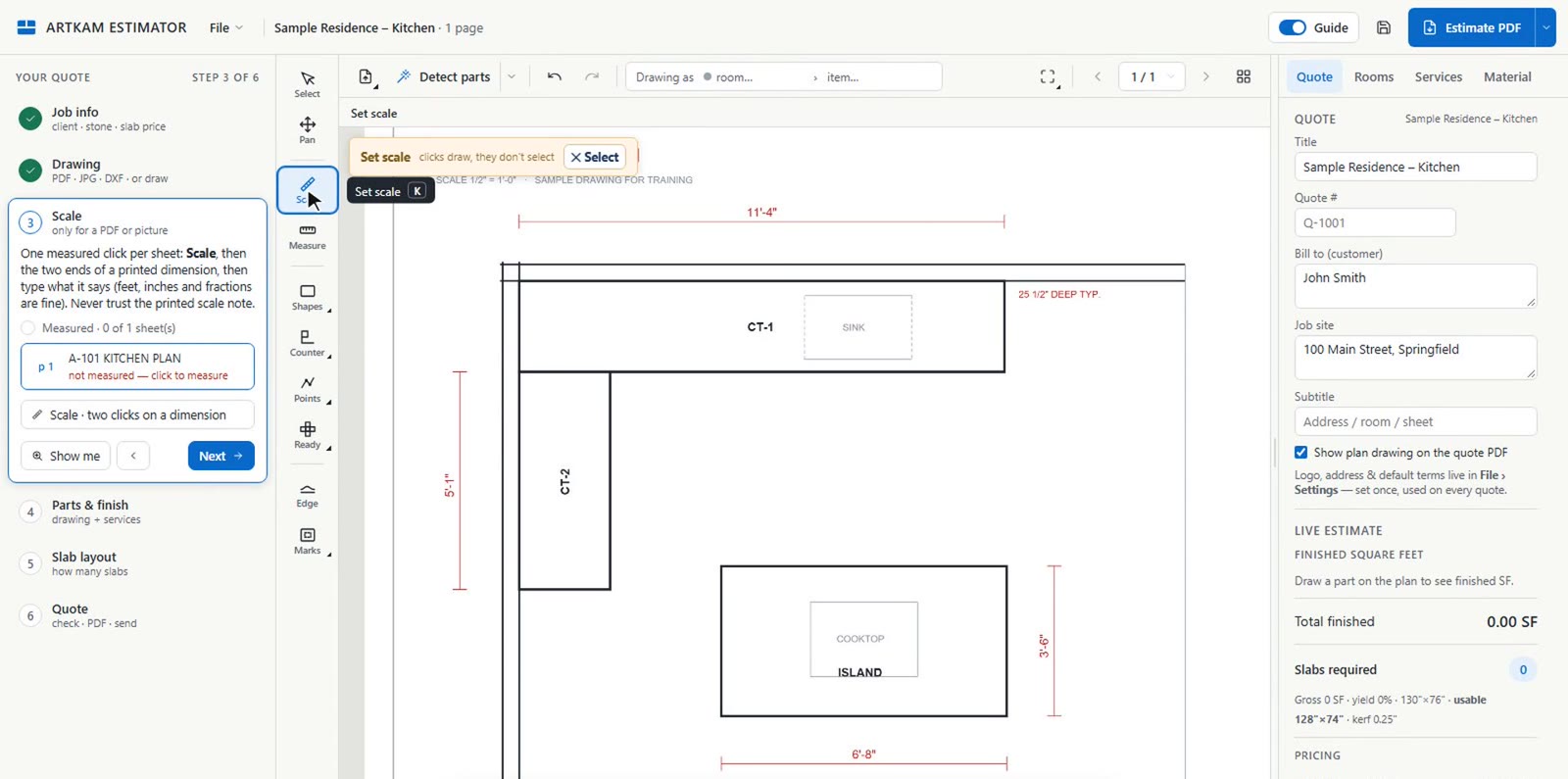
Drawings get printed at a different size. On CAD PDFs the Estimator checks the note against the sheet's own dimensions and warns you when they disagree, and it flags every sheet whose scale you haven't confirmed on a real dimension.
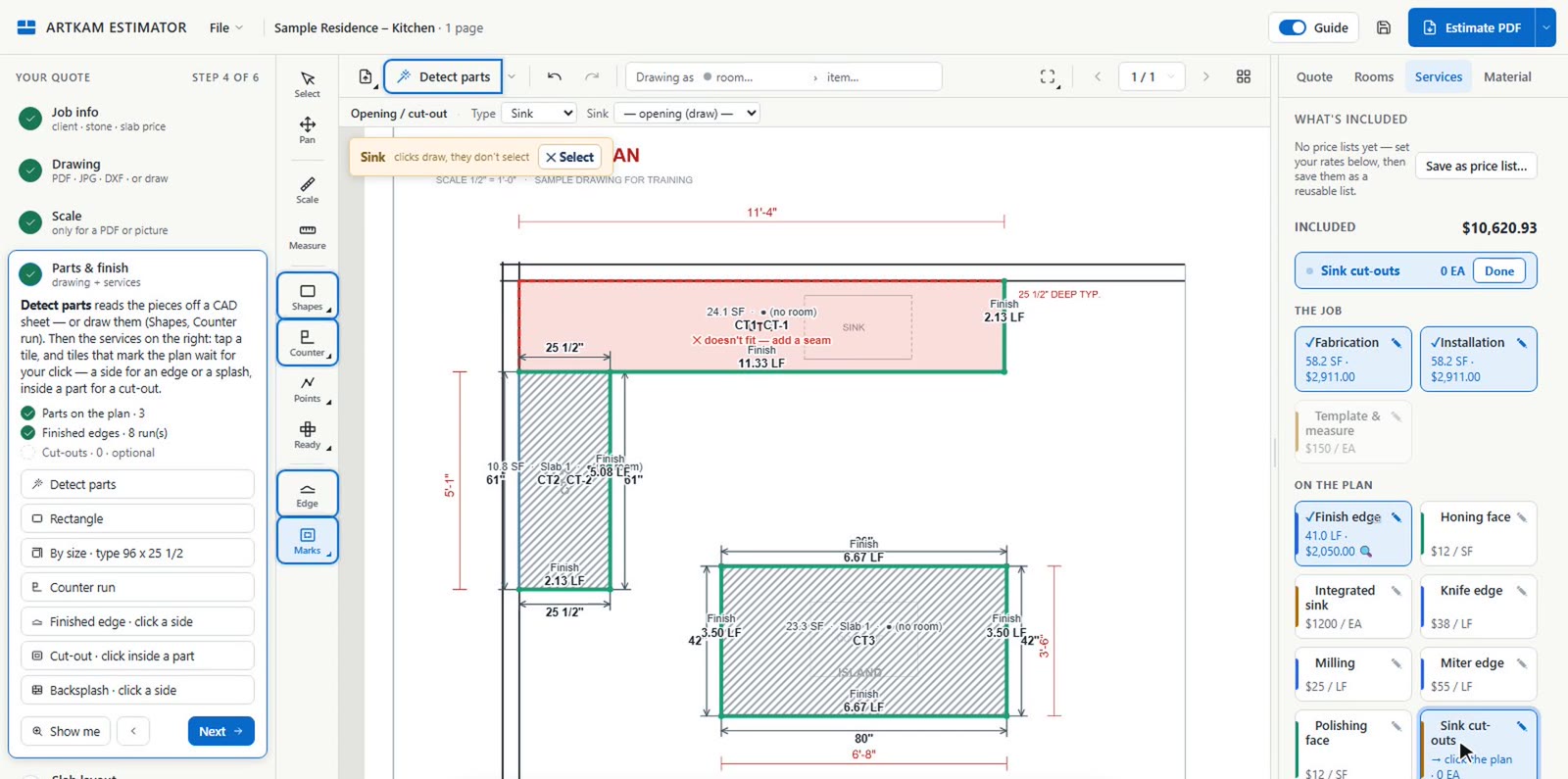
An edge, a cut-out, a seam. Each service is a tile you tap and a side you click. Before the quote goes out, the guide stops on what it can check: a sheet without a measured scale, a stone or service with no price, a piece longer than the slab.
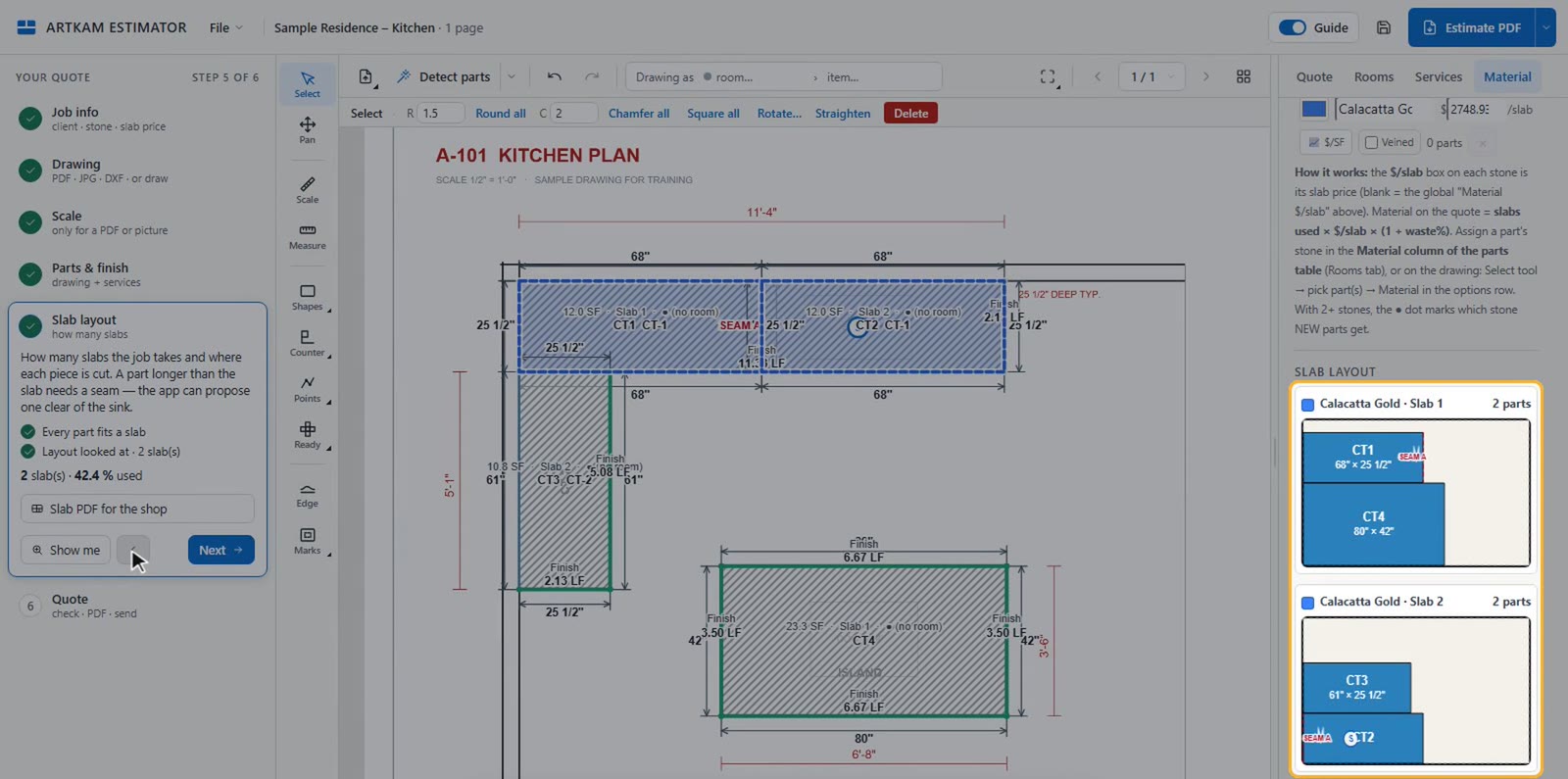
The app nests every piece on the slab size you set, with kerf and edge trim, so the material line is based on slabs used — not on square feet and hope.
Each step lights up the tools it needs and shows what is still missing. Once your team knows the way, switch the guide off — the full editor is right there.
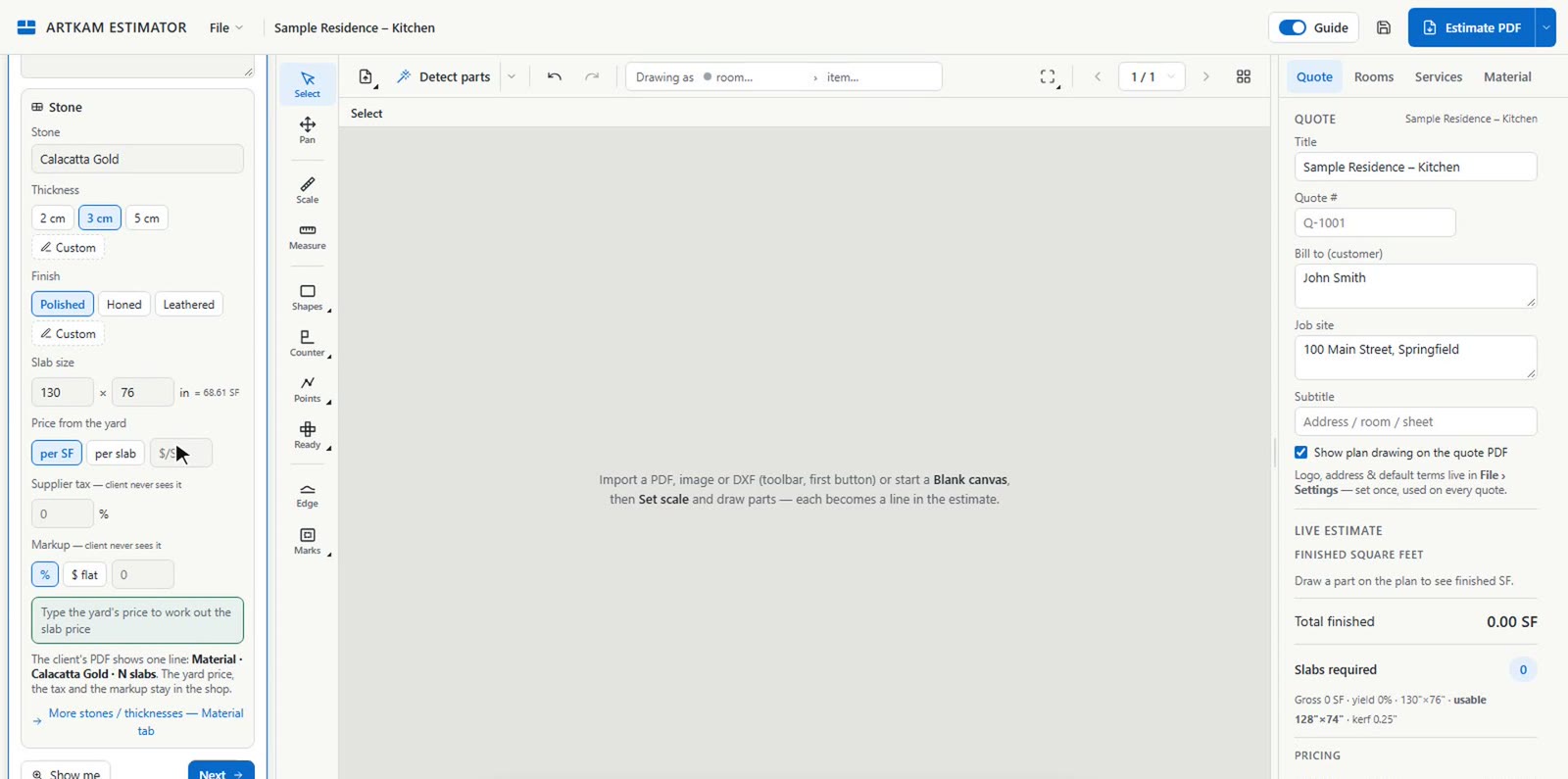
Job name, client and job site go straight onto the quote. Pick the thickness and finish — or type your own.
Import the PDF the client sent — pictures and DXF files with closed outlines work too — or start on a blank grid and draw the parts to size.
On a CAD-made ticket, Detect parts picks the pieces off the PDF when each one is drawn as a closed outline. Or draw them yourself. Then tap a service on the right and click where it goes.
See exactly how many slabs the job takes and where each piece is cut.
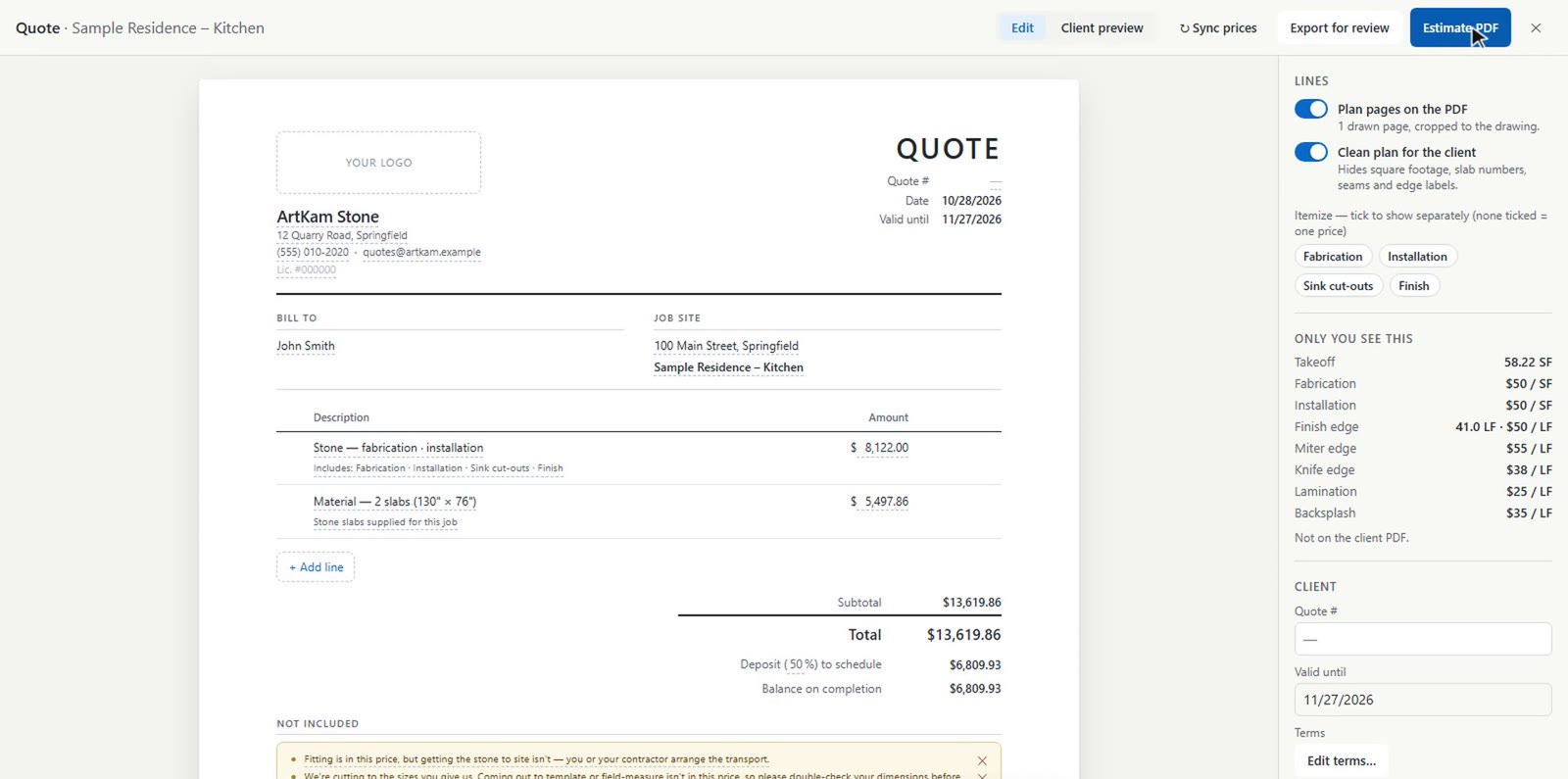
Before anything goes out, the guide lists what still needs fixing, with a button that takes you there. Then print the Estimate PDF, or save it as a PDF from the print window.
A 3-minute video: one kitchen, from the client's PDF to the quote.
Most shops measure in one program, guess the slabs in another and type the quote in a third. ArtKam Estimator does the whole run, and you can start today.
| Usually | ArtKam Estimator | |
|---|---|---|
| Getting started | Book a demo, wait for onboarding, or hand over a card for a trial. | Sign up and quote today. 14 days free, no card, no sales call. |
| The architect's PDF | Measure it in a takeoff tool, then retype the numbers into the quote. | Open the PDF, set the scale from one printed dimension per sheet, and draw the parts on it: shapes, counter runs, or a part by size. The quote builds as you go. |
| How many slabs | A square-foot guess, or a separate layout program. | Every piece nested on your slab size, with kerf, edge trim and seams. Slab count and a slab PDF for the shop. |
| Edges and cut-outs | Counted by hand, and the one you miss comes out of your margin. | Tap the service, click the side. Feet are measured and priced. Sink and cooktop cut-outs: tap the tile, click inside the part. Backsplash: tap the tile, click the side. |
| Windows or Mac | Desktop takeoff tools like PlanSwift run on Windows only and cost $2,000–3,000 a year per seat. | Chrome or Edge on any Windows PC or Mac. $79 a person, month to month. |
| The client's copy | Rates and markup get copied into Word or a spreadsheet. | A clean quote PDF with the plan on it. Your rates, supplier tax and markup stay on your side. |
Takeoff software prices and platforms from the vendors' own pages (planswift.com/pricing), checked November 2026.
Bring the whole PDF. Each sheet keeps its own scale; add pages from other files any time.
Kitchen, baths, fireplace — each room gets its own lines, or one price if the client prefers.
Type 10'6 or 8'-3" for the scale and part sizes. Switch the dimensions on the plan to ft-in with one button.
Save your rates as a list and reuse it on every job. Edge profiles with your own names and prices.
Enter the bowl or niche size and get every piece laid out and priced.
Sign in from any Windows PC or Mac in Chrome or Edge. Every update reaches you automatically.
Every job saves itself to your shop's cloud. The same job list on every computer, with revisions you can go back to.
Invite your estimators by email. Everyone works from the same jobs and the same prices. A job one person has open is locked for the others.
Set your blade's kerf and the slab trim; the layout re-nests on the spot. For a run longer than the slab, the app proposes a seam clear of the sink, and one click adds it.
Win the job with ArtKam Estimator, then match the veins on the real slab photos with ArtKam Match inside AutoCAD.
Founding shops: $59 / month per person for as long as you stay. Enter code FOUNDING on the checkout page when you start your trial. First 20 shops only.
Precision slab layouts inside AutoCAD, with real slab photos at 1:1. Match veins across countertops, walls and bathrooms before you cut.
See ArtKam MatchFrom the signed quote to the install: every job's status in one place, with a slab view that shows which slab each piece is cut from. It will pick up your jobs straight from the Estimator.
Ask for early accessThe first 20 shops keep $59 a person for as long as they stay subscribed, and get a direct line to the people building it. Tell us what your shop needs: it decides what we build next.
Start free, enter FOUNDING at checkoutNo. ArtKam Estimator runs in your web browser. It opens DXF files drawn with closed outlines, but it doesn't need AutoCAD installed.
No. On an architect's set, scan or photo, you draw the parts on the sheet with the drawing tools, and the quote builds as you go. On a CAD-made shop ticket, Detect parts can pick the pieces off the PDF when each one is drawn as a closed outline. The app asks you to confirm each sheet's scale on a real dimension, and flags any sheet that isn't confirmed, because printed scale notes are often wrong.
That's what the guide is for. It walks through the six steps in order, highlights the tools to use, and before the quote goes out it stops on what it can check: scale, prices, and pieces that don't fit a slab.
No. Supplier tax, markup, your rates and square-foot prices stay in the owner's panel. The client gets clean lines: stone, fabrication and installation, and material.
Any Windows PC or Mac with an up-to-date Chrome or Edge. There is nothing to install — sign in at app.artkamstone.com and start quoting.
Use the full app for 14 days, with up to 3 people in your shop (you plus 2). No card is needed. To keep going, add a card before the trial ends: then it's $79 a month per person, or $59 if you entered the code FOUNDING on the checkout page when you started the trial. You can cancel anytime. If you don't add a card, the trial simply stops and nothing is charged.
Enter the code FOUNDING on the checkout page when you start your trial. Your shop then pays $59 a month per person instead of $79, for as long as you stay subscribed. It's for the first 20 shops only.
Yes, while founding places are left: write to info@artkamstone.com from the email you signed up with, and we'll apply it to your subscription.
Yes. Invite your estimators by email from the Team window. Everyone shares the same job list and the same prices, and a job that someone else has open is locked for the others, with a message that says who. Each person is $79 a month on the same bill.
Not directly: there is no import from other estimating programs. Your old jobs stay where they are, and new jobs start in ArtKam from the client's PDF, picture or DXF. During the 14-day trial you can quote the same job in both and compare.
They stay saved in your shop's cloud. Subscribe again and they're all there. While you're subscribed, you can also download any job as a file to keep on your own computer.
We'd rather tell you now. There is no CNC export, no QuickBooks connection and no online quote signing yet, and scheduling lives in ArtKam Job Tracker, which is coming soon. If one of these is a must for your shop, write to us: it helps us decide what comes first.
One app. Six steps. 14 days free, no card needed, then $79 a month per person. Cancel anytime.